





When you’re starting or managing a website, choosing the right hosting provider is crucial — and comparisons like hostinger-vs-godaddy can help you make a smarter decision. Whether it’s a blog, an online store, or a business site, the hosting service you pick can impact everything from your website’s speed to how easily you can manage it. In 2025, Hostinger vs GoDaddy are among the top choices. Both brands offer solid performance, great tools, and ease of use, but which one gives you the best value for your money?
In this comparison, we’ll break down their pricing, features, website builders (including AI-driven tools), control panels, and more — all to help you answer the question: Is Hostinger Good for Web Hosting?
Overview of Hostinger
Hostinger is recognized for its affordable pricing, user-friendly interface, and reliable performance. It’s popular among small businesses, bloggers, and Freelancers seeking affordable yet high-quality hosting.
- Founded: 2004
- Primary Offerings: Shared hosting, WordPress hosting, cloud hosting, VPS, and domain registration.
- Key Strength: Budget-friendly plans with good performance.
Overview of GoDaddy
GoDaddy is a leading global provider of web hosting and domain registration services. It has been around since 1997 and is well-known for its massive marketing campaigns and user-friendly services.
- Founded: 1997
- Primary Offerings: Shared hosting, WordPress hosting, VPS, dedicated servers, email hosting, domain names, and website builder.
- Key Strength: All-in-one solution with domain, hosting, and business tools.
Now, let’s start comparing these two giant hosting providers in the world! First, we will examine the pricing plans of GoDaddy and Hostinger.
Hostinger Pricing Plans
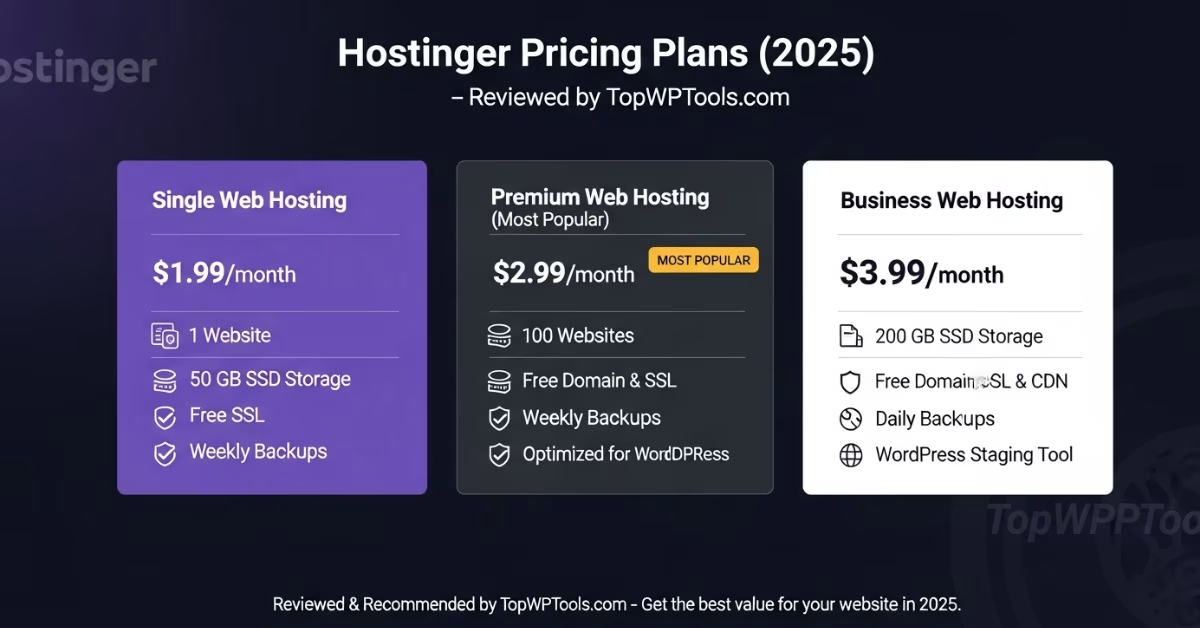
Hostinger offers separate pages for its standard web hosting and managed WordPress hosting options — but in reality, these plans are the same, just packaged differently .
If you choose Hostinger, here’s some good news: we’ve secured a special deal for our readers. While it’s not a huge discount, it’s still lower than what you’d pay if you signed up directly on Hostinger’s main website.
Below is a quick look at what you’ll pay:
- Premium – starts at $2.69/month , supporting up to 100 websites, 100 GB SSD storage, ~25,000 visits/month, WordPress speed boost, free SSL, and a free domain for your first year. Renews at $7.99/month.
- Business – from $3.41/month, includes everything in Premium plus daily backups, double storage, and more server resources. Renews at $8.99/month.
- Cloud Startup – from $7.99/month, for up to 300 websites, with extra power and scalability. Renews at $19.99/month.
- Cloud Professional – starts at $14.39/month for bigger sites with up to 300,000 visits. Includes priority support.
GoDaddy Pricing
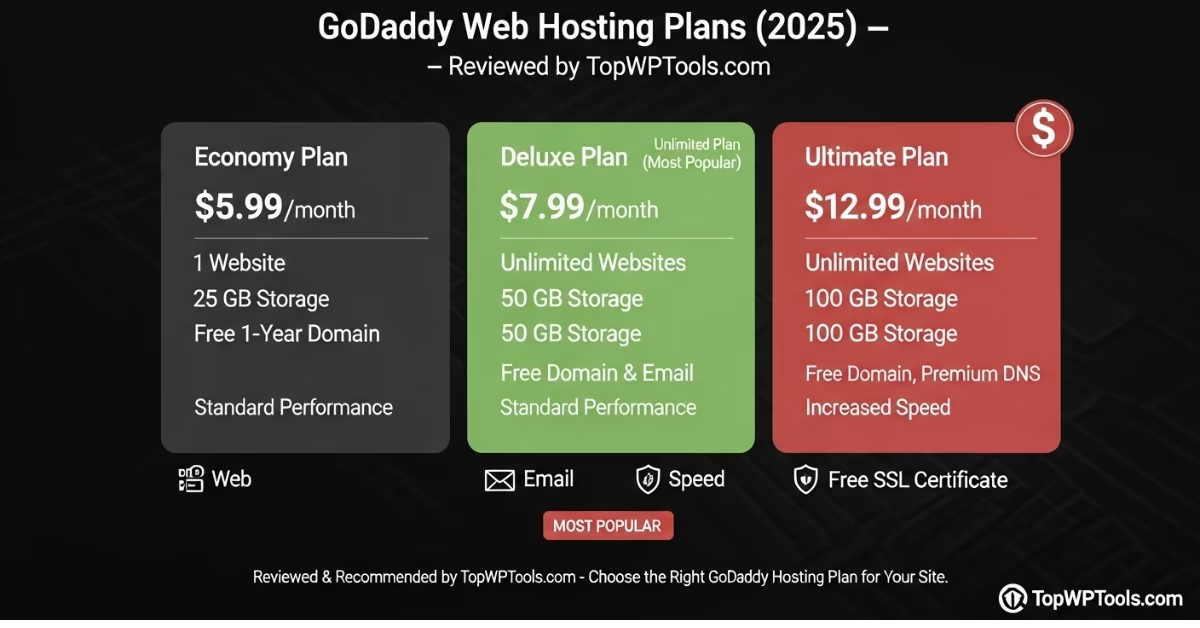
Unlike Hostinger, GoDaddy’s standard shared hosting and managed WordPress hosting plans have apparent differences. Each plan has an introductory rate, but also consider the renewal price — and ask yourself, Is GoDaddy Hosting Secure?
GoDaddy Shared Hosting:
- Economy — starts at $5.99/month for one website, 25 GB NVMe storage, free SSL, and a free first-year domain. Renews at $9.99/month.
- Deluxe — from $7.99/month for up to 10 sites. Includes 50 GB NVMe storage, free SSL, and a domain. Renews at $13.99/month.
- Ultimate — starts at $12.99/month, supporting up to 25 websites, 75 GB NVMe storage, and includes ongoing free SSL. Renews at $17.99/month.
- Maximum — from $17.99/month for 50 sites, 100 GB NVMe storage, free domain, and SSL. Renews at $24.99/month.
Outcome: Hostinger wins for budget-friendly hosting.
Performance and Uptime
Both companies promise high uptime, but real-world performance can vary.
Hostinger:
- Average uptime: 99.9%
- Global data centers for faster loading in different regions.
- LiteSpeed web servers for faster site speed.
GoDaddy:
- Average uptime: 99.9%
- The server infrastructure is good, but some users report slower speeds during traffic spikes.
- No LiteSpeed; uses Apache servers.
💡Outcome: Hostinger has a slight edge for speed and reliability, especially for small to medium websites.
Ease of Use
Hostinger:
- Clean and simple custom dashboard (hPanel).
- Very beginner-friendly.
- One-click installs for WordPress and other apps.
GoDaddy:
- Classic cPanel for most plans.
- User-friendly but includes many upsells.
- Also offers an easy drag-and-drop website builder.
💡Outcome: Both are easy to use, but Hostinger’s interface feels more modern and less cluttered.
Customer Support
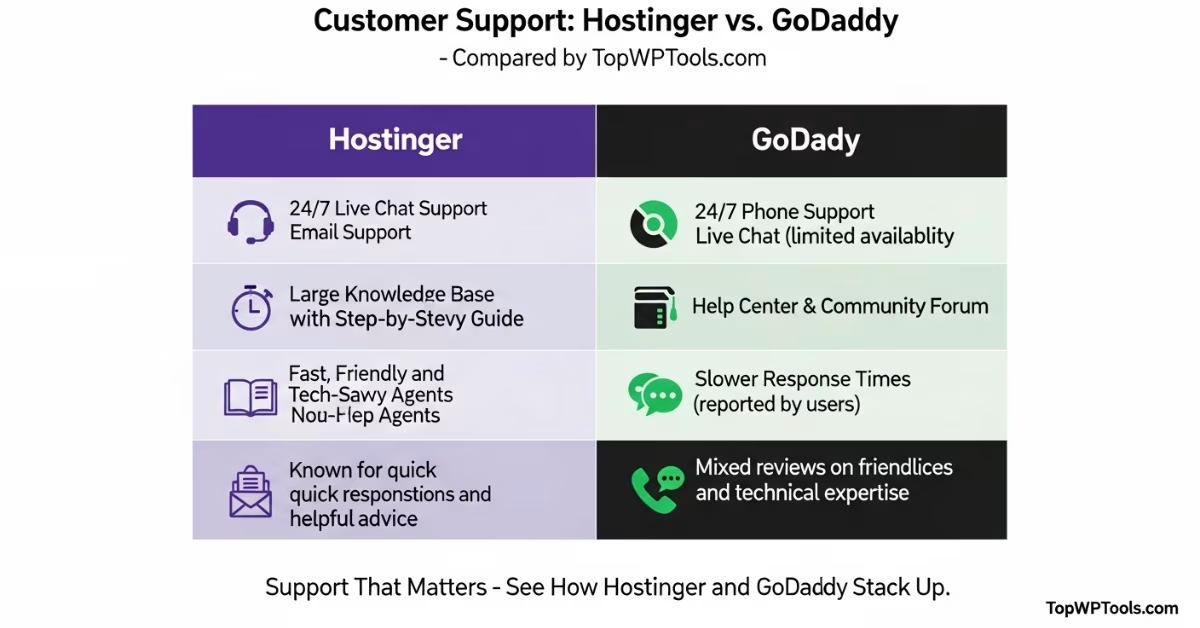
Hostinger:
- 24/7 live chat support.
- Email ticketing system.
- Helpful knowledge base.
GoDaddy:
- 24/7 phone and live chat support.
- Large knowledge base.
- Support can be slow during peak hours.
💡Outcome: Hostinger’s live chat is fast and reliable; GoDaddy’s phone support is helpful if you prefer to talk.
Security Features
Hostinger:
- Free SSL included.
- Automatic backups (weekly or daily, depending on plan).
- DDoS protection and malware scanning.
GoDaddy:
- SSL is usually paid for or included only with higher plans.
- Backups are an additional cost unless you purchase a premium plan.
- DDoS protection included.
💡Outcome: Hostinger gives more security features for free.
Domain and Email
Hostinger:
- Free domain for the first year on most plans.
- Email hosting is included in many plans.
GoDaddy:
- World’s biggest domain registrar — huge choice of domain extensions.
- Email hosting costs extra (Microsoft 365).
💡Outcome: GoDaddy is better if you want to manage many domains, but Hostinger includes more free extras.
Offers and Deals
Hostinger:
Hostinger often runs special offers, such as up to 75% off long-term hosting. These deals typically include a free SSL certificate, free email, and a free domain. Always before buying — you’ll save more on 4-year plans.
GoDaddy:
GoDaddy is famous for cheap domain deals — you can grab a $0.99 domain or significant discounts for the first year. Be sure to to avoid surprises later.
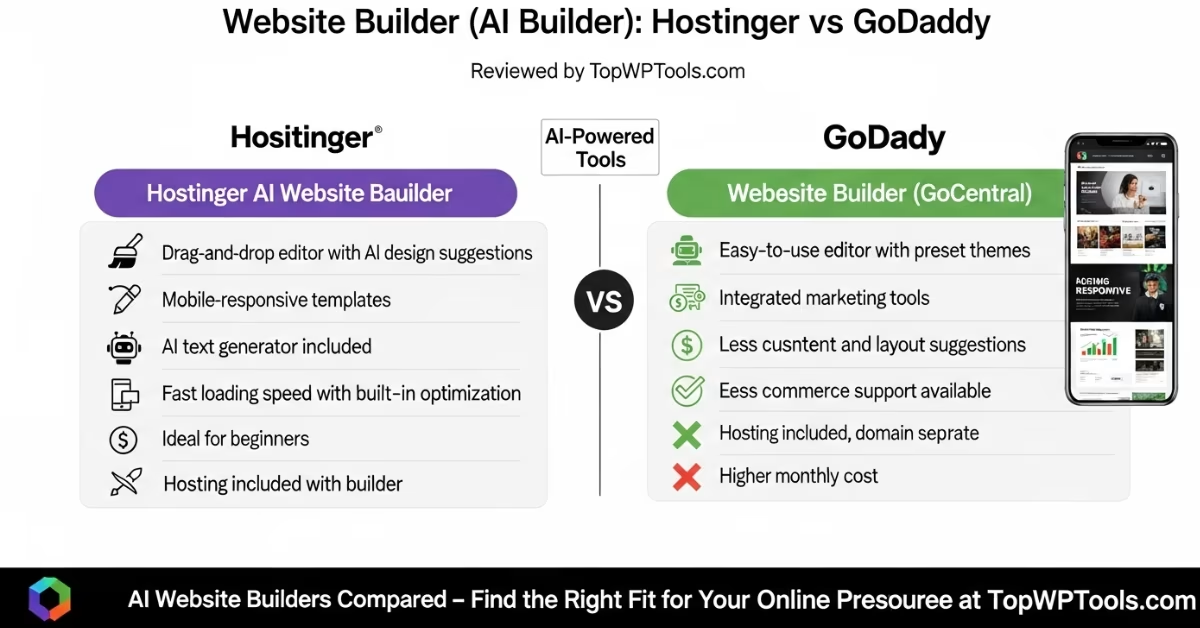
Website Builder (AI Builder)
Hostinger:
Hostinger includes a free website builder (Zyro) with AI features like logo design, content generation, and layout suggestions. This makes it easy for beginners to create a modern, mobile-friendly website fast.
GoDaddy:
GoDaddy has its drag-and-drop website builder with an AI assistant that helps you build pages, write copy, and even generate SEO-friendly sections automatically. It’s very beginner-friendly and suitable for small businesses that want a simple site to get up and running quickly.
💡Outcome: Both offer an AI website builder, but Hostinger’s Zyro is slightly more advanced for AI-driven design and content tools.
H-Panel vs cPanel: What’s the Difference?
Hostinger:
Hostinger uses h-Panel, its custom-built control panel. It’s modern, clean, and simple to navigate. Beginners often find it less intimidating than traditional cPanel. You can manage domains, email accounts, backups, databases, and file manager all from a single dashboard.
GoDaddy:
GoDaddy mainly uses c-Panel, the industry standard for Linux hosting. Many web professionals prefer cPanel because it’s familiar and has more advanced options for developers. However, beginners may find it cluttered and more difficult to use at first.
💡Outcome: If you like simplicity, h-Panel is more manageable for beginners. If you’re experienced and want advanced control, c-Panel is more flexible.
Hostinger vs GoDaddy: Pros and Cons
Hostinger Pros Hostinger Cons
- Very affordable plans, no dedicated servers
- Good speed and uptime, no phone support
- Free SSL and backups included. Cheapest plans require long-term
- Beginner-friendly dashboard
GoDaddy Pros GoDaddy Cons
- Huge domain name marketplace, more expensive for what you get
- Phone support available 24/7, Many upsells and add-ons
- One-stop shop for hosting & domains, SSL & backups often costs extra
Who Should Choose Hostinger?
- You want affordable hosting.
- You’re a beginner and need an easy dashboard.
- You want good speed for small to medium sites.
- You prefer free SSL, backups, and email.
Who Should Choose GoDaddy?
- You need a lot of domain names in one place.
- You prefer phone support.
- You want an all-in-one solution (domain, hosting, marketing tools).
- You’re okay paying extra for convenience.
Final Verdict: Hostinger vs GoDaddy — Which Is Better in 2025?
In 2025, Hostinger is the better choice for most small businesses, bloggers, and freelancers because it offers more affordable pricing, faster performance, and additional free features.GoDaddy is still a good option if you want all your domains, hosting, and business tools under one big brand — and you don’t mind paying a bit extra for that convenience.Before making a decision, consider your budget, the type of website you want, and whether you require phone support or additional tools.
Finally
So, Hostinger vs GoDaddy — who wins in 2025? For affordable, reliable, and beginner-friendly hosting, Hostinger is the winner. If you want a big brand with all the tools in one place and don’t mind paying more, GoDaddy remains a solid choice.
Is Hostinger cheaper than GoDaddy?
Yes. Hostinger is cheaper, especially for beginners and long-term plans.
Does Hostinger include a free domain?
Yes. Many plans include a free domain for the first year.
Which is faster, Hostinger or GoDaddy?
Hostinger often has better speed due to LiteSpeed servers.
Does GoDaddy offer better support?
GoDaddy has phone support, which Hostinger does not have.
Which is better for WordPress?
Hostinger’s WordPress plans are cheaper and optimized for speed.
Does GoDaddy include SSL for free?
Usually only on higher plans — Hostinger includes it for free.
Is Hostinger good for beginners?
Yes. It’s very beginner-friendly.
Does GoDaddy have a website builder?
Yes, it has its own drag-and-drop builder.
Which is better for domains?
GoDaddy is better if you want to buy and manage many domain names
Can I switch from GoDaddy to Hostinger?
Yes. Both companies make it easy to transfer your website